

Key Takeaways
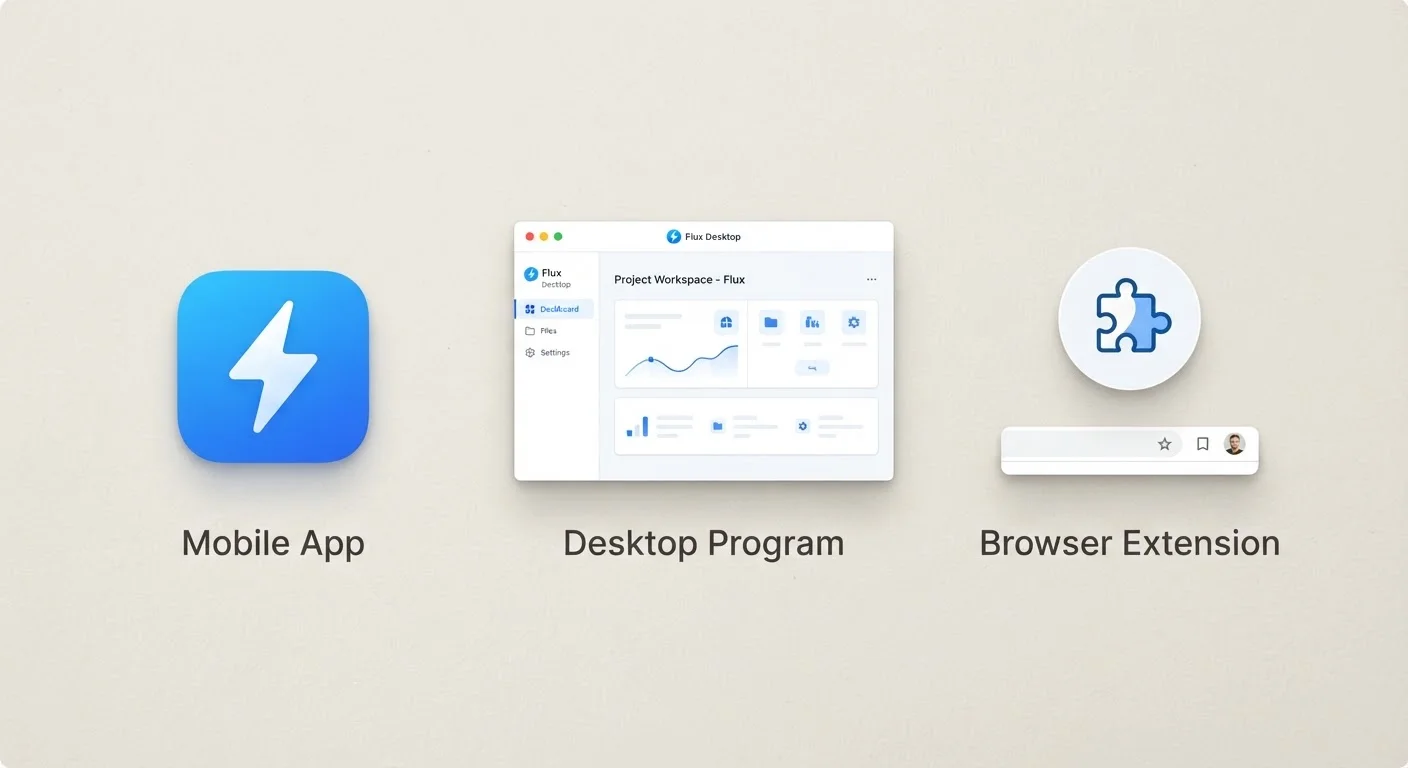
- Programs (also called applications) are installed directly on your device's operating system and run independently.
- Mobile apps are a category of program designed specifically for smartphones and tablets, often sandboxed for security.
- Browser extensions are small add-ons that only run inside a web browser and cannot function without one.
- Each type has different installation sources, permission levels, and system resource footprints.
- Understanding the differences helps you make smarter decisions about what you install and where.
Our Verdict
Programs offer the most power and direct access to your device's resources, making them suited to complex tasks. Mobile apps prioritize convenience and portability within a tightly managed environment. Browser extensions serve a narrow but useful purpose - enhancing or modifying the web browsing experience without occupying much system space. None is universally superior; each fits a different need.
| Best for | Recommended |
|---|---|
| Complex, resource-intensive tasks on a computer | Desktop Program |
| On-the-go tasks on a smartphone or tablet | Mobile App |
| Tweaking or extending what a web browser can do | Browser Extension |
What Is a Program?
A program - often called a desktop application or simply software - is a set of instructions installed directly onto your device's operating system (OS). Whether that's Windows, macOS, or Linux, the program communicates with the OS to access hardware resources like your processor, memory, and storage. Think of a video editor, a word processor, or a tax-filing tool: these are programs.
Programs typically have the broadest set of permissions. They can write files almost anywhere on your drive, run background processes, connect to hardware peripherals, and operate even when no browser is open. That power also means a poorly designed - or malicious - program can cause real harm, which is why understanding your operating system helps you evaluate what you're allowing onto your machine.
Programs are usually installed from a developer's website, a platform store (like the Microsoft Store), or physical media. Updates often require deliberate action - a topic explored in detail in our guide on what software updates actually change.
What Is an App?
Technically, the word app is just short for application - making it a synonym for program. In everyday usage, however, app almost always refers to software designed for a mobile device like a smartphone or tablet.
Mobile apps are distributed through curated stores (Apple's App Store or Google Play) and run inside a sandboxed environment. Sandboxing means each app is isolated from the rest of the device: it can only access data and hardware it has been explicitly granted permission to use. This design makes mobile platforms generally harder to compromise than traditional desktop environments.
Apps tend to be leaner in features than desktop programs - partly because of screen size, partly because of battery and processing constraints. They're designed for quick, focused interactions: checking a bank balance, navigating a route, or managing a to-do list. The choice between Android and iOS shapes which apps are available to you and how they behave. For a practical look at how apps interact with your phone's memory and storage, see our guide on phone storage, RAM, and cloud backup.
Check App Permissions Before Installing
Both mobile apps and browser extensions request permissions during or after installation. Before granting access, ask whether the app genuinely needs what it's asking for - a flashlight app requesting your contacts is a red flag. On most mobile platforms, you can review and revoke individual permissions in your device's Settings menu at any time.
What Is a Browser Extension?
A browser extension (sometimes called a plug-in or add-on) is a small piece of software that runs inside your web browser - Chrome, Firefox, Edge, Safari, and others each support their own. Extensions cannot function independently; they exist entirely within the browser's environment.
Common examples include ad blockers, password managers built into the browser bar, grammar checkers, and tools that clip web pages to a notes app. Because they operate within the browser, their access is generally limited to what you're doing online: reading page content, modifying how pages display, or intercepting network requests.
That scoped access is both a strength and a risk. Extensions can see the content of web pages you visit, which is why it's worth reviewing permissions carefully before installing one. Stick to extensions from reputable sources and developers with clear privacy policies.
Extensions Can Read Page Content
Many browser extensions request permission to 'read and change all your data on websites you visit.' This is a broad access level. Only install extensions you actively need, from developers with transparent policies. Periodically review your installed extensions and remove any you no longer use or recognize.
Side-by-Side Comparison
The table below summarizes the core differences across the three categories. Note that edge cases exist - some apps have desktop versions, and some browser-based tools blur the line - but these distinctions hold for the vast majority of software everyday users encounter.
| Desktop Program | Mobile App | Browser Extension | |
|---|---|---|---|
| Where it runs | Directly on the OS | On a mobile OS (sandboxed) | Inside a web browser only |
| Installation source | Developer site or OS store | App Store or Google Play | Browser's extension marketplace |
| Can run without a browser | Yes | Yes | No |
| System resource usage | Often high | Moderate, optimized for battery | Low |
| Permission scope | Broad (OS-level access) | Limited by sandbox | Limited to browser activity |
| Typical update method | Manual or OS-prompted | Automatic via app store | Automatic via browser |
| Best suited for | Complex, powerful tasks | Quick, mobile-first tasks | Modifying browsing experience |
For a broader vocabulary around these concepts, our tech terms glossary covers related words that show up frequently but rarely get explained. If you're also thinking about how software tools fit into daily routines - such as budgeting - the comparison in paper budgeting vs. spreadsheets vs. apps shows how these categories play out in a real-world context.