

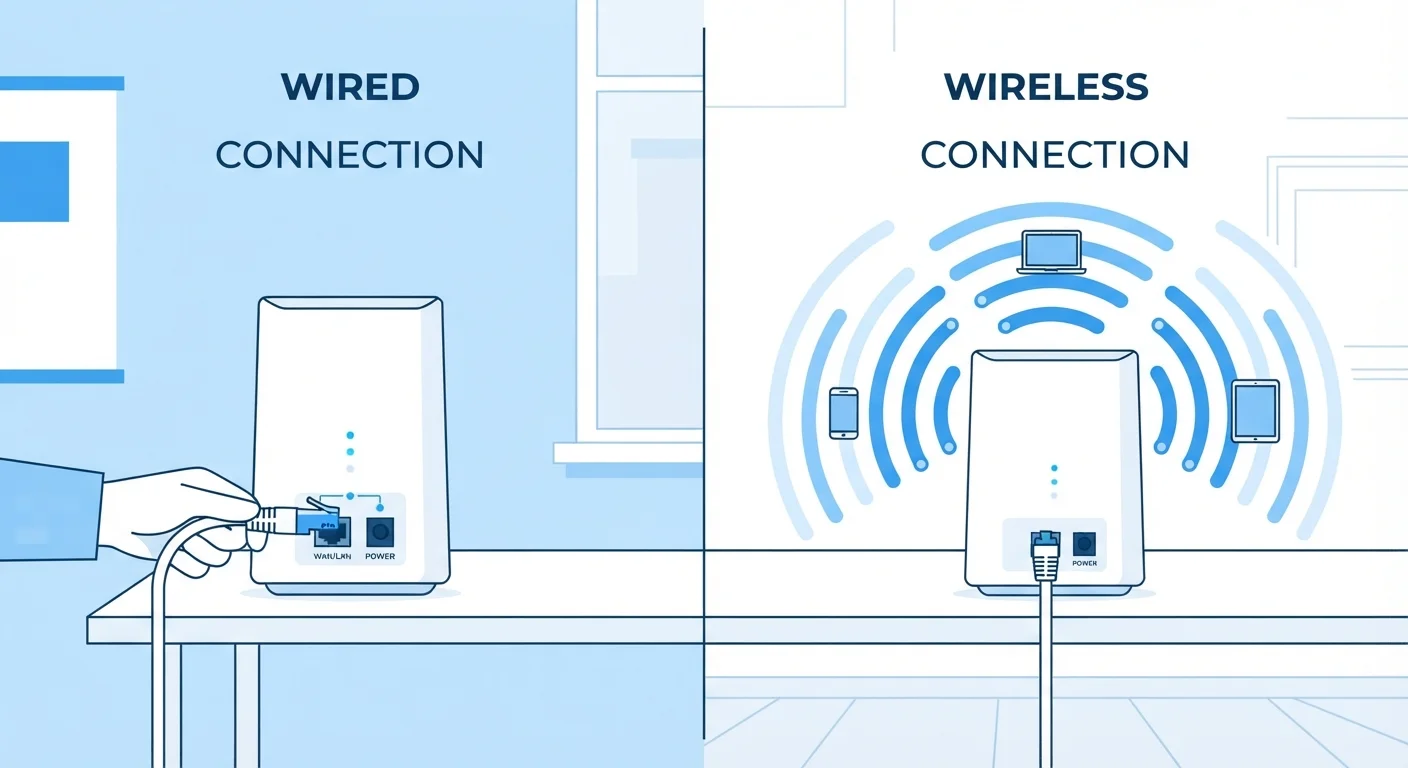
Key Takeaways
- Ethernet delivers faster, more consistent speeds than Wi-Fi under most real-world conditions.
- Wi-Fi signals can be degraded by walls, interference, and distance from the router.
- Latency - the delay before data transfers - is typically lower on wired connections.
- Wi-Fi offers convenience and mobility that a physical cable simply cannot match.
- Most households benefit from a mix of both connection types depending on the device.
Option A
Wired Internet (Ethernet)
The consistent, high-performance physical connection.
Best for: Desktop computers, gaming consoles, smart TVs, and any device where stable speed and low latency are priorities.
Option B
Wireless Internet (Wi-Fi)
The flexible, cable-free connection for mobile living.
Best for: Laptops, smartphones, tablets, and any device that moves around or where running cables isn't practical.
If you work from home and rely on video calls or large file uploads
Wired Internet (Ethernet)
A wired connection reduces dropped calls and upload interruptions by providing consistent bandwidth without interference.
If you use smartphones, tablets, or laptops around the house
Wireless Internet (Wi-Fi)
Wi-Fi's cable-free nature is essential for mobile devices and for moving freely between rooms.
If you play online games or stream in 4K on a stationary TV or console
Wired Internet (Ethernet)
Lower latency and stable throughput reduce lag spikes and buffering during high-demand sessions.
If you live in a rented space where running cables isn't an option
Wireless Internet (Wi-Fi)
Modern Wi-Fi standards offer capable speeds without requiring any physical installation.
How Each Connection Type Actually Works
Both Ethernet and Wi-Fi carry the same internet data - the difference is in how that data travels. Ethernet sends data as electrical signals through a physical cable (typically a Cat5e or Cat6 cable) directly between your device and a router or modem. Wi-Fi, by contrast, transmits data as radio waves broadcast through the air between your device and a wireless router.
Because Ethernet uses a dedicated physical path, the signal doesn't compete with other devices or get disrupted by obstacles. Wi-Fi operates on shared radio frequency bands - most commonly 2.4 GHz and 5 GHz - which means walls, appliances, neighboring networks, and even microwave ovens can all reduce signal quality. For a deeper look at how data physically travels across networks, see how the internet actually moves data.
| Criterion | Wired (Ethernet) | Wireless (Wi-Fi) |
|---|---|---|
| Typical latency | 1-5 ms (local network) | 5-30 ms, variable |
| Speed consistency | Very consistent | Varies with distance, interference |
| Interference susceptibility | None | Walls, devices, neighboring networks |
| Device mobility | Tethered to cable length | Fully mobile within range |
| Setup complexity | Requires cable runs | Minimal - router broadcasts signal |
| Security exposure | Low - physical access required | Higher - signal broadcasts outward |
| Best device types | Desktops, consoles, smart TVs | Phones, laptops, tablets |
Speed, Latency, and Reliability: Where the Gaps Show Up
Raw speed potential is often similar on paper - a modern Wi-Fi 6 router can advertise multi-gigabit throughput - but real-world performance frequently tells a different story. Wi-Fi speeds drop as you move farther from the router or as more devices compete for bandwidth. Ethernet maintains near-consistent speeds regardless of household activity.
Latency - the time it takes for a signal to make a round trip between your device and a server - is where wired connections hold a clear structural advantage. A typical wired connection delivers latency in the range of 1-5 milliseconds on a local network; Wi-Fi commonly adds several milliseconds on top of that, and interference can cause unpredictable spikes. For gamers and video conferencing users, even small latency differences are noticeable. If the underlying terminology here feels unfamiliar, understanding bits, bytes, and bandwidth offers a clear foundation.
~40%
Typical Wi-Fi speed loss vs. advertised rate
Real-world Wi-Fi throughput commonly falls 30-50% below router-advertised maximums due to distance, walls, and competing devices, according to independent network testing reports.
2x+
Ethernet latency advantage over Wi-Fi
Wired connections typically exhibit latency two to five times lower than Wi-Fi on the same network, a difference that becomes significant for gaming and live video conferencing.
Wi-Fi 6
Current mainstream Wi-Fi standard (802.11ax)
Wi-Fi 6, released in 2019, improved multi-device performance and efficiency significantly, though physical-layer advantages of Ethernet remain regardless of Wi-Fi generation.
Interference, Security, and Practical Limits
Wi-Fi's open-air transmission creates two practical challenges beyond speed. First, signal interference: neighboring Wi-Fi networks, Bluetooth devices, and physical structures all share the same radio spectrum. Densely populated buildings - apartment complexes, offices - can see noticeably reduced Wi-Fi performance simply because many networks overlap.
Second, security posture differs. A wired connection is physically contained - someone would need physical access to your cable or router to intercept traffic. Wi-Fi broadcasts outward, making it accessible to anyone within range. Modern Wi-Fi security protocols (WPA3 being the current standard) substantially reduce this risk, but the structural exposure remains. Ethernet eliminates it entirely.
Physical constraints matter too. Running Ethernet through walls or across floors requires planning, drilling, or cable management. For households where that's not feasible, powerline adapters - devices that use existing electrical wiring to carry network signals - offer a middle ground, though with their own speed and consistency trade-offs.
A Note on Powerline and MoCA Adapters
Powerline adapters and MoCA (Multimedia over Coax Alliance) adapters are hybrid solutions that use existing home wiring - electrical or coaxial cable - to carry network signals between rooms. They can offer a middle ground for households where running new Ethernet cable isn't practical. Performance varies significantly based on wiring age and quality, so results differ from home to home.
Which Should You Use - and Can You Use Both?
For most households, the practical answer isn't choosing one or the other - it's using each where it makes sense. Stationary devices like desktop computers, gaming consoles, and smart TVs benefit meaningfully from Ethernet connections. Mobile devices - phones, tablets, laptops - depend on Wi-Fi by design and work well for everyday browsing, streaming, and communication.
If your Wi-Fi performance feels inconsistent, the issue often isn't Wi-Fi versus Ethernet as a concept - it's router placement, router age, or network congestion. A router positioned centrally and elevated, away from metal objects and appliances, will outperform the same hardware poorly placed. For mobile connectivity beyond your home network, the comparison shifts further - 5G, LTE, and Wi-Fi calling each play distinct roles once you leave the house.
Understanding how your connection type affects your devices is part of a broader tech literacy that pays off across many everyday decisions. For a broader grounding in common terminology, tech terms finally defined covers the vocabulary that tends to come up repeatedly.