

Key Takeaways
- Streaming devices fetch compressed video data over the internet and decode it locally for display.
- Buffering occurs when a device downloads and stores a small ahead-of-time segment of video to smooth playback.
- Video quality adapts in real time based on your available internet bandwidth using a technology called adaptive bitrate streaming.
- Smart TVs contain built-in streaming processors; external sticks and boxes add or upgrade that capability.
- Audio and video are decoded separately, then synchronized by the device before output to your screen and speakers.
Streaming Device
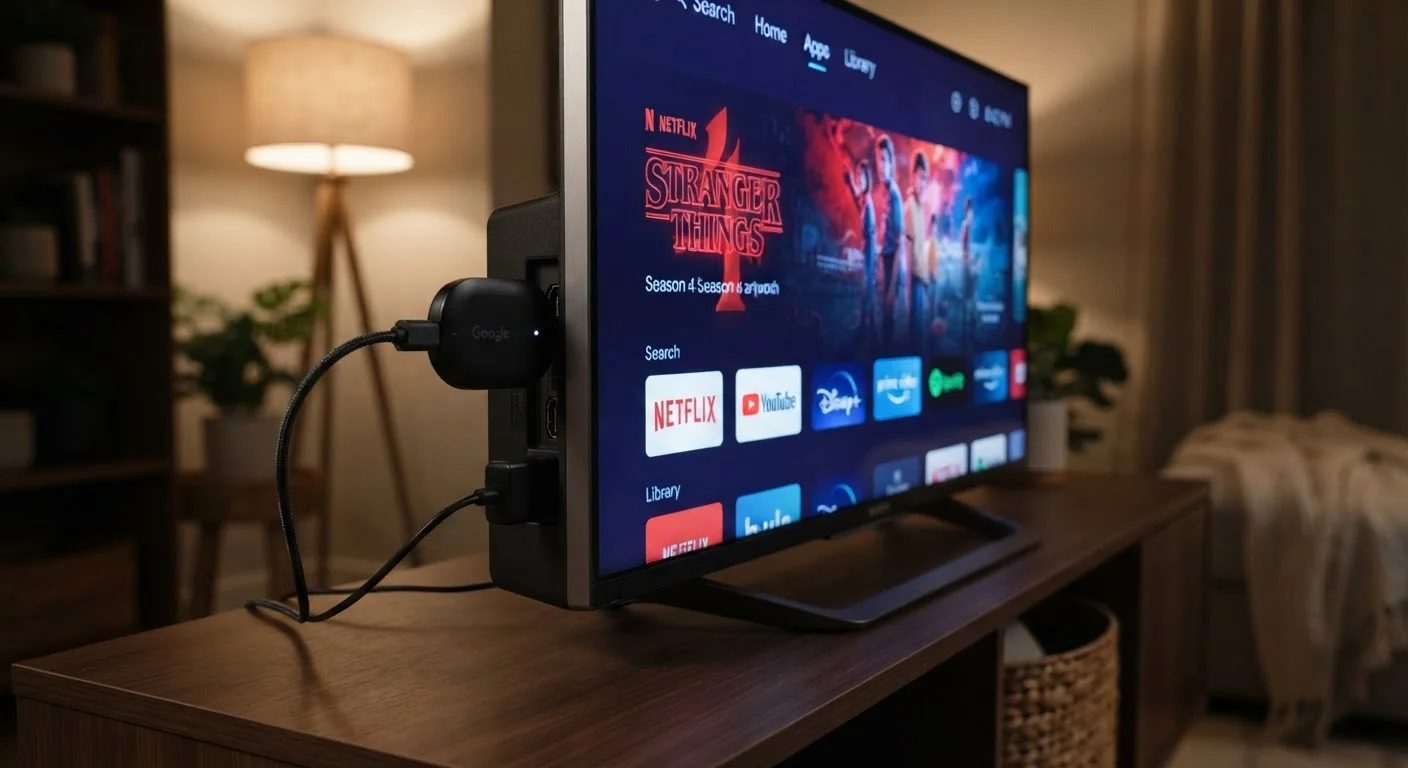
A streaming device is a piece of hardware - a stick, box, or built-in chip inside a smart TV - that connects to the internet, retrieves compressed video and audio data from a remote server, and decodes it into a playable picture on your screen. Unlike a cable box that receives a broadcast signal, a streaming device pulls content on demand over your home network. Common examples include plug-in sticks, set-top boxes, and the software platforms built into modern televisions.
Most streaming devices use dedicated media processors (SoCs - System on a Chip) optimized for video decoding tasks like H.264, H.265/HEVC, and AV1, reducing the CPU and power load required to play high-resolution content.
The Basic Pipeline: Internet to Image
Every time you press play, your streaming device initiates a request to a content delivery network (CDN) - a geographically distributed system of servers that stores copies of videos close to users worldwide. The device identifies which CDN node is nearest and fastest, then begins downloading the video in small, sequential chunks rather than as one enormous file.
These chunks arrive compressed. Raw 4K video would require hundreds of megabits per second to transmit - far beyond most home connections. Instead, platforms encode video using compression algorithms (called codecs, such as H.265 or AV1) that strip out redundant visual data while preserving perceived quality. The streaming device's processor reverses that compression in real time, a process called decoding, before sending the final image to your display.
Audio follows a parallel path. Surround-sound formats like Dolby Atmos arrive as a separate compressed stream. The device decodes audio independently and synchronizes it with the video frame-by-frame before the combined output reaches your TV and speakers. For more on how display quality interacts with this signal, see our plain-language TV resolution explainer.
~15 Mbps
Minimum speed typically needed for 4K streaming
Platform guidelines from major streaming services generally recommend 15-25 Mbps per 4K stream, though actual requirements vary by codec efficiency and platform.
7+ GB
Approximate data used per hour of 4K streaming
Data consumption varies by platform compression settings and codec; HDR content and higher bitrate encodes can push usage higher than this estimate.
2-5 seconds
Typical time from pressing play to first frame
This start-up latency covers authentication, CDN selection, and initial buffer loading - the visible pause before video begins on most streaming platforms.
Adaptive Bitrate Streaming: How Quality Adjusts Automatically
One of the most important technologies in modern streaming is adaptive bitrate streaming (ABR). Rather than locking video to a single quality level, platforms encode each piece of content at multiple quality tiers - say, 480p, 720p, 1080p, and 4K. The streaming device constantly measures how quickly data is arriving and switches between tiers seamlessly to match your available bandwidth.
This is why video quality can look crisp one moment and temporarily softer the next, especially during network congestion. The goal is uninterrupted playback: ABR would rather lower resolution briefly than let your screen freeze. Most viewers never consciously notice the switch because modern algorithms make the transition in under a second.
Improve Stability With a Wired Connection
If your streaming device supports Ethernet - either directly or via an adapter - a wired connection to your router eliminates the signal variability that Wi-Fi introduces. This is especially useful for consistent 4K HDR playback, which demands more sustained bandwidth than lower-resolution streams. Even a basic Ethernet adapter can noticeably reduce buffering in households where the router is far from the TV.
Sticks, Boxes, and Built-In Chips: What's Different
Streaming devices come in three main physical forms, each doing essentially the same job with different trade-offs in performance and convenience.
- Plug-in sticks draw power from the TV's USB port or a small adapter and connect via HDMI. They're compact and portable but share thermal constraints - intensive 4K decoding can warm them noticeably.
- Set-top boxes have dedicated power supplies and larger enclosures, allowing more powerful processors and better heat management. They're often preferred for consistent 4K HDR performance.
- Smart TV built-in systems integrate a streaming processor directly on the TV's main board. Convenient at purchase, but software support timelines and processor speed vary significantly by manufacturer and model age.
All three form factors connect to your router - via Wi-Fi or a wired Ethernet connection - and run an operating system (like Android TV, Roku OS, or tvOS) that manages apps, authentication, and the user interface. Smart TV operating systems also collect usage data, a topic worth understanding separately.
Operating System Updates Matter
Streaming device performance depends heavily on software, not just hardware. Manufacturers periodically push OS updates that improve codec support, fix security vulnerabilities, and maintain compatibility with platform apps. Devices that stop receiving updates - whether sticks, boxes, or built-in TV systems - may gradually lose access to apps or features even if the hardware still functions. Checking a device's expected software support lifespan before purchasing is a practical consideration.
From Platform to Screen: The Full Journey
Putting it together: when you press play, your device authenticates with the streaming service (verifying your subscription), locates the nearest CDN node, and begins downloading video chunks. The on-board decoder processes each chunk into raw frames, synchronizes audio, and passes the output through HDMI to your TV's display panel. The entire cycle - from button press to visible picture - typically takes two to five seconds, most of which is authentication and initial buffering.
Understanding this pipeline also clarifies why certain problems occur where they do. Buffering usually points to a network bandwidth issue, not a hardware fault. Lip-sync errors often indicate an audio processing or HDMI handshake problem. Image quality complaints may trace to codec support, the platform's selected tier, or display settings. If you've ever wondered why you face so many choices across so many platforms before you even reach this point, our complete streaming landscape overview covers that broader picture. And for a look at how services decide what content to surface once you're in, see how streaming recommendation algorithms work.