

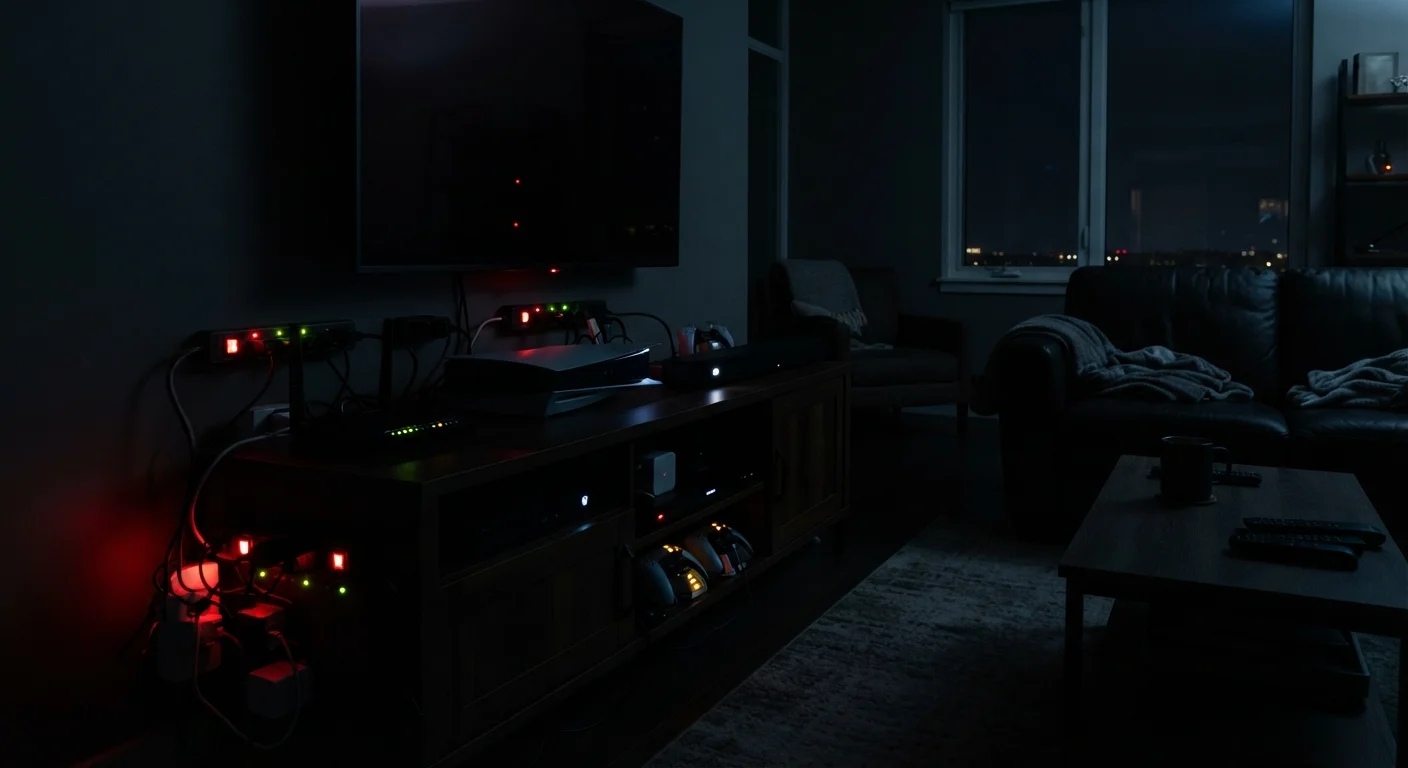
Key Takeaways
- Standby power - sometimes called phantom load - can account for a meaningful share of a household's electricity bill.
- Televisions, game consoles, and smart speakers are among the heaviest standby power consumers in the average home.
- Power strips with individual switches and smart plugs offer practical ways to cut idle power draw.
- Many devices draw power to maintain Wi-Fi connections, clocks, or instant-on features even when not actively in use.
- The U.S. Department of Energy estimates standby power can represent up to 10% of a home's electricity use.
The Power That Never Stops Flowing
Press the power button on your TV, and the screen goes dark. But the TV itself doesn't go dark - not entirely. It stays in a low-power listening state, waiting for a remote signal, maintaining its network connection, or holding a clock in memory. This ongoing draw is called standby power, and it's present in nearly every modern electronic device in the home.
The U.S. Department of Energy has noted that standby consumption - also referred to as phantom load or vampire power - can account for roughly 5-10% of residential electricity use. That's a notable figure given that nothing appears to be running. Understanding which devices contribute most, and why, is the first step toward deciding whether to act on it. For a broader look at reducing household energy use, see practical ways to reduce household energy use without sacrificing everyday comfort.
Televisions in Standby Mode
Modern TVs - particularly smart TVs - maintain a network connection, run background software updates, and stay alert for voice commands or remote signals even when the screen is off. A large smart TV can draw anywhere from a fraction of a watt to several watts in standby, depending on the model and which features remain active. Disabling quick-start or instant-on settings in the TV's menu is often enough to bring standby consumption down noticeably, though it adds a few seconds to startup time.
Smart TVs maintain network connections and listen for commands even with the screen off.
Game Consoles Left in Rest or Standby
Gaming consoles are among the more significant phantom load sources in many households. Rest modes designed to enable background downloads and controller charging are convenient - but they can draw substantially more power than a device that is genuinely powered off. Some consoles in rest mode have been measured drawing 10-15 watts continuously. If background downloads aren't a priority, fully powering off the console rather than using rest mode is a straightforward way to reduce idle consumption.
A game console in rest mode can draw 10-15 watts - continuously, around the clock.
Smart Speakers and Voice Assistants
Smart speakers are never truly off - that's by design. They continuously listen for a wake word, which requires the microphone and on-device processing to stay active at all times. Power draw is relatively low per device, typically 1-3 watts, but because these devices run 24 hours a day, 365 days a year, the cumulative consumption adds up. Households with several smart speakers spread across rooms should factor this ongoing draw into their overall energy picture.
Smart speakers listen continuously for wake words, drawing power every hour of every day.
Cable Boxes and Streaming Devices
Traditional cable and satellite set-top boxes have historically been some of the worst offenders for standby power - some older models drew nearly as much power off as they did on, largely because they were downloading program guide data and software updates in the background. Streaming sticks and boxes tend to be more efficient, but they still maintain network connections and receive remote inputs when nominally idle. Unplugging them when not in use, or routing them through a switched power strip, eliminates this draw entirely.
Older cable boxes sometimes drew nearly as much power idle as they did in active use.
Laptop and Phone Chargers Left Plugged In
A charger plugged into the wall without a device attached still draws a small amount of power - this is called no-load consumption. Modern chargers are generally more efficient at this than older models, often drawing less than half a watt. It's a smaller concern than gaming consoles or smart speakers, but it's worth knowing because chargers are frequently left in outlets for days or weeks at a time. For context on how charging behavior affects devices themselves, what genuinely degrades your phone's battery is worth reviewing.
Even without a device attached, wall chargers continue drawing a small but constant current.
Desktop Computers and Monitors in Sleep Mode
Sleep mode on a desktop computer keeps RAM powered and maintains enough activity to wake quickly, drawing more than a device that is shut down entirely. Monitors in standby similarly maintain internal circuitry. While sleep mode is more efficient than full operation, it is meaningfully different from being off. Scheduling computers to hibernate or shut down overnight - rather than sleep - reduces this draw, especially for machines that sit unused for long stretches.
Sleep mode preserves RAM and responsiveness but draws far more than a full shutdown.
Home Networking Equipment
Routers and modems typically run continuously because shutting them down cuts internet access for the entire household, including smart home devices. This is generally intentional and accepted consumption. However, older or lower-quality routers can be less efficient than newer models. Mesh networking systems with multiple nodes multiply this baseline draw. If your household goes offline for extended periods - vacations, for instance - powering down the router during that time is a simple way to eliminate unnecessary consumption.
Mesh networking systems with multiple nodes run continuously, multiplying baseline energy draw.
What You Can Actually Do About It
Awareness matters more than alarm here. Not every watt of standby draw is worth disrupting your routine - a router that maintains your home network overnight, for instance, is doing useful work. The goal is identifying the idle power draws that deliver no real benefit.
Use a Smart Plug to Schedule Off Times
Smart plugs that integrate with home automation apps can be programmed to cut power to entertainment systems or home office setups during overnight hours automatically. This removes the need to manually unplug devices while still eliminating standby draw during the hours when nothing is in use. Look for plugs that report energy consumption, as they can help you identify which outlets are pulling the most idle power.
Smart plugs and power strips with per-outlet switches are among the most practical tools available. They let you cut power entirely to entertainment centers or home office setups with a single switch or a scheduled automation, eliminating standby draw without permanently unplugging cables. If you're also thinking about how charging habits affect your devices, common charging myths that may be hurting your devices is a useful companion read. And for keeping electronics performing reliably over time, maintenance habits that extend electronics lifespan covers what actually makes a difference.